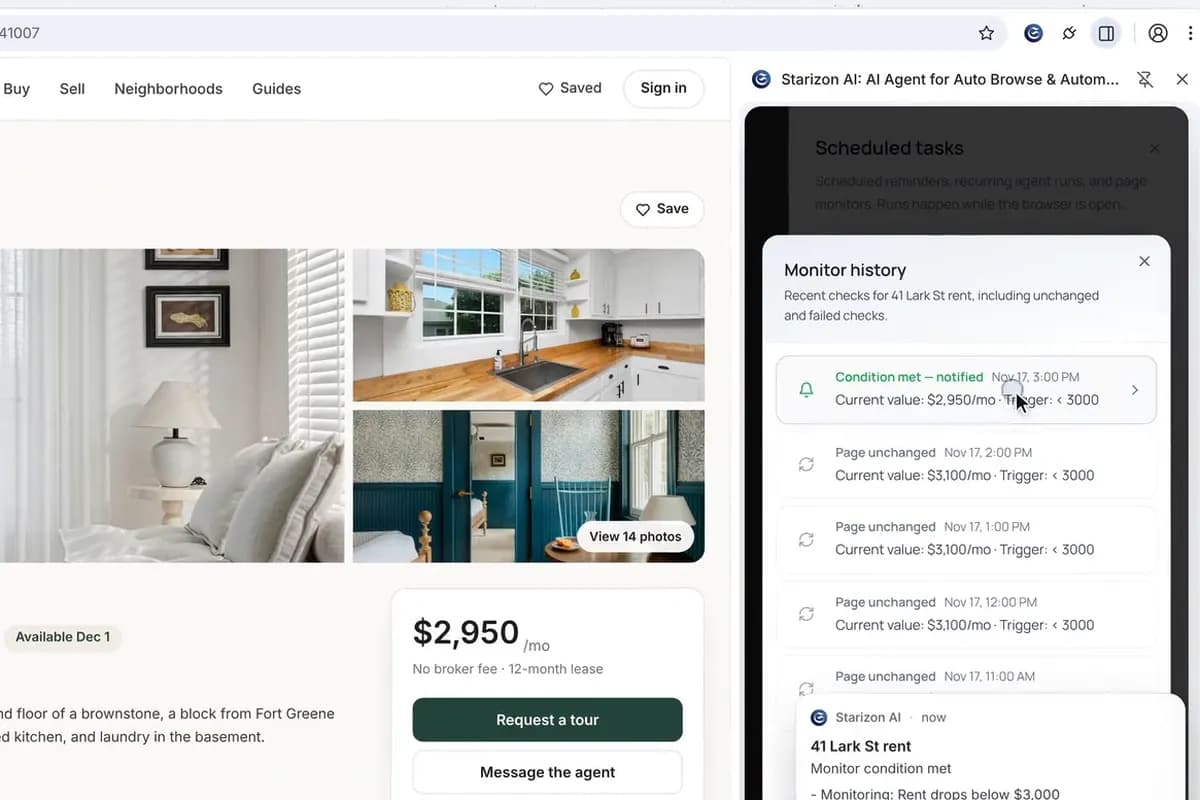
Get an alert when the rent drops below your budget
Tell Starizon in one sentence what to watch. It finds the rent on the listing and checks it every hour, then alerts you when it drops below $3,000. A weekly search takes one sentence too.
Agent S6 runs the search once, setting the filters and collecting all 21 listings across both results pages. You save it as a Replay with a /rentals command, so the next search takes one line and only the steps you change use AI.
The websites, people and data in this film are made up.
You start a Replay from a browser task, and Agent S6 works out each click: the area, two bedrooms, the price cap, pets allowed, newest first. It collects all 21 listings from both results pages: address, rent, size and link.
Once the result looks right, you save it both ways: as a Replay that keeps the steps as they ran, and as a Skill you start by typing /rentals.
Type /rentals and what to change, here Queens, 3 bedrooms, under $3,500. AI adjusts only those steps, and the rest replay as saved, by fixed rules. The Queens search returns 17 listings.
The requests in the film, word for word. Its websites and data are made up, so ask the same way about your own sites and details.
Search Stoopwise for 2-bedroom apartments in Brooklyn under $3,000 that allow pets, newest first, and collect every listing from all result pages: address, rent, size and link.
/rentals Queens, 3 bedrooms, under $3,500.
A search you can rerun with one line, collecting the same fields the same way each time.
Tell Starizon in one sentence what to watch. It finds the rent on the listing and checks it every hour, then alerts you when it drops below $3,000. A weekly search takes one sentence too.
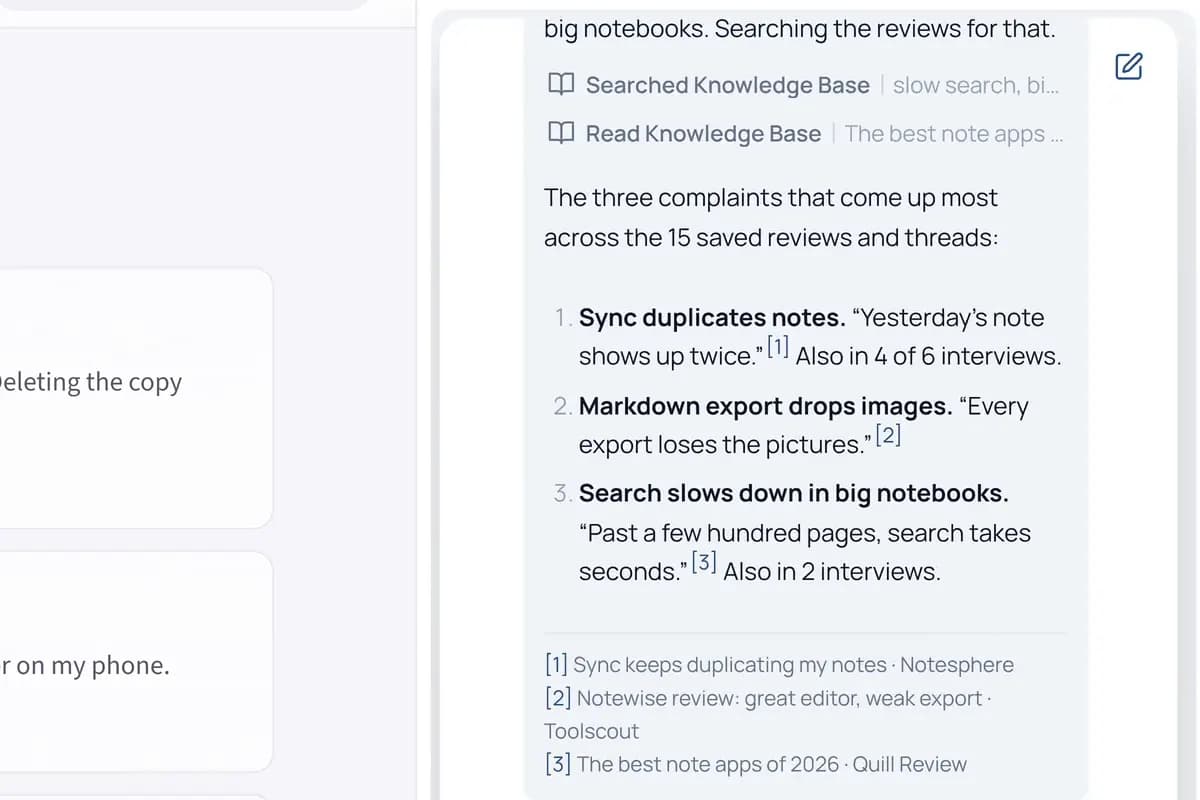
Import a bookmark folder and a few tabs, then ask one question across them and a research Space. Starizon searches them in steps and checks your interview notes for the same complaints. Each point in the answer comes with its source.
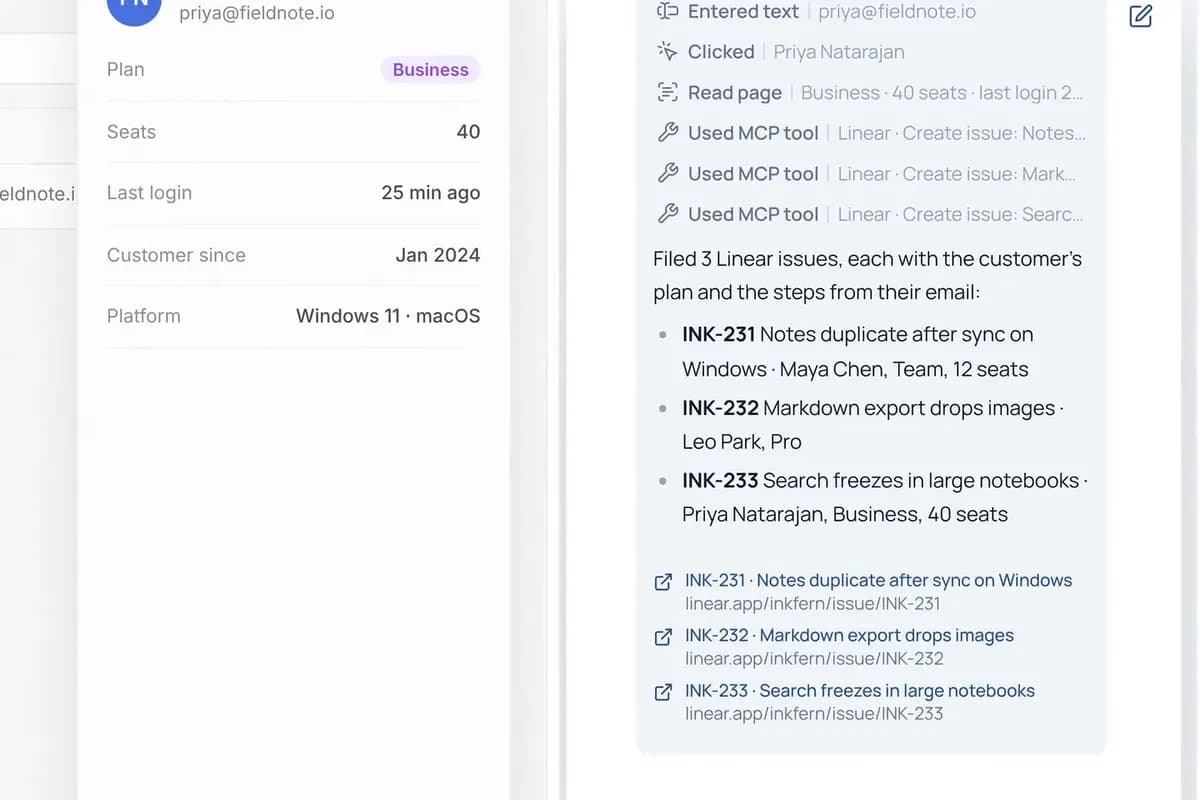
Agent S6 reads this week’s bug reports in Gmail and looks up each customer in the admin dashboard you’re signed in to. Then it files one Linear issue per bug, with the customer’s plan and the steps to reproduce.
Ask in your own words, with your own sites and details. Starizon works in the browser you already use.
Free to start. No credit card needed.