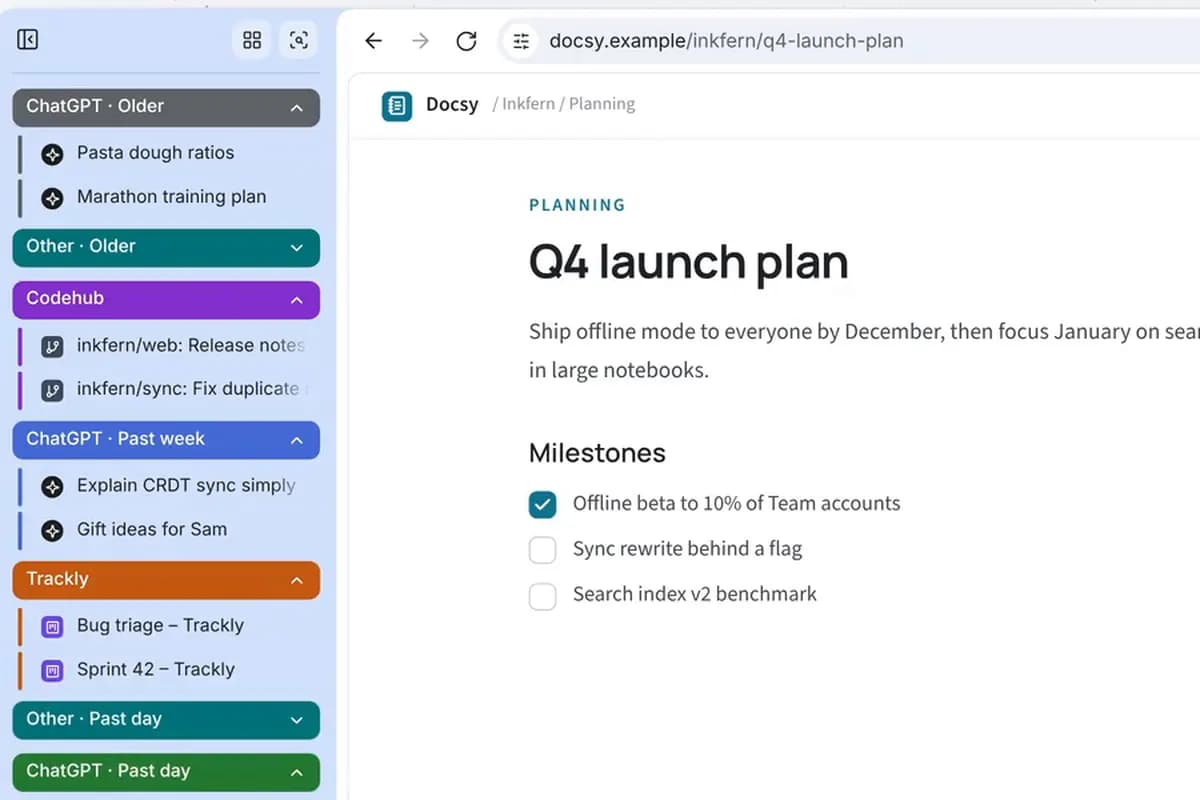
Tidy dozens of tabs with one command
Write your tab rules once as a /group command: by site, ChatGPT tabs by when you last used them, single tabs in Other groups. After that, one /group tidies the whole window.
Agent S6 reads this week’s bug reports in Gmail and looks up each customer in the admin dashboard you’re signed in to. Then it files one Linear issue per bug, with the customer’s plan and the steps to reproduce.
The websites, people and data in this film are made up.
Connect Gmail under Apps and authorize Linear’s MCP server once. You decide which apps and tools Starizon may use.
Choose Agent S6 and hand over the whole job in one request.
It finds three bug reports, opens each customer in your admin dashboard to read their plan and seats, then files three Linear issues and links each one in the chat.
The request in the film, word for word. Its websites and data are made up, so ask the same way about your own sites and details.
Find this week’s bug reports in my Gmail. Look up each customer’s plan in our admin, then create a Linear issue for each bug with the plan and the steps to reproduce.
Three Linear issues, one per bug, each with the customer’s plan and the steps from their email.
Write your tab rules once as a /group command: by site, ChatGPT tabs by when you last used them, single tabs in Other groups. After that, one /group tidies the whole window.
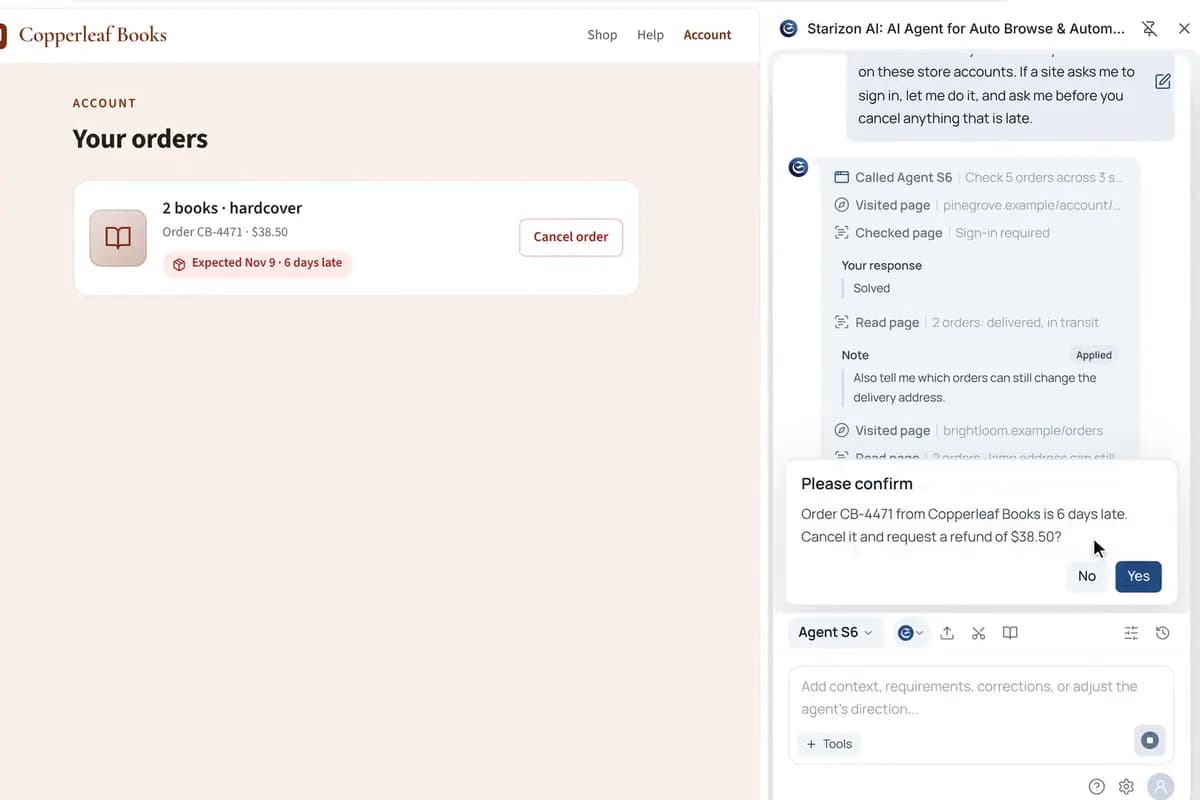
Agent S6 checks your last five orders across three stores, in your own browser. You can add instructions while it works, and it asks before it cancels anything.

Starizon sorts your tabs and opens the trip pages you bookmarked, with the hours and prices marked on each. Then it turns nine pages into one note and fills in a booking from it, stopping before you pay.
Ask in your own words, with your own sites and details. Starizon works in the browser you already use.
Free to start. No credit card needed.