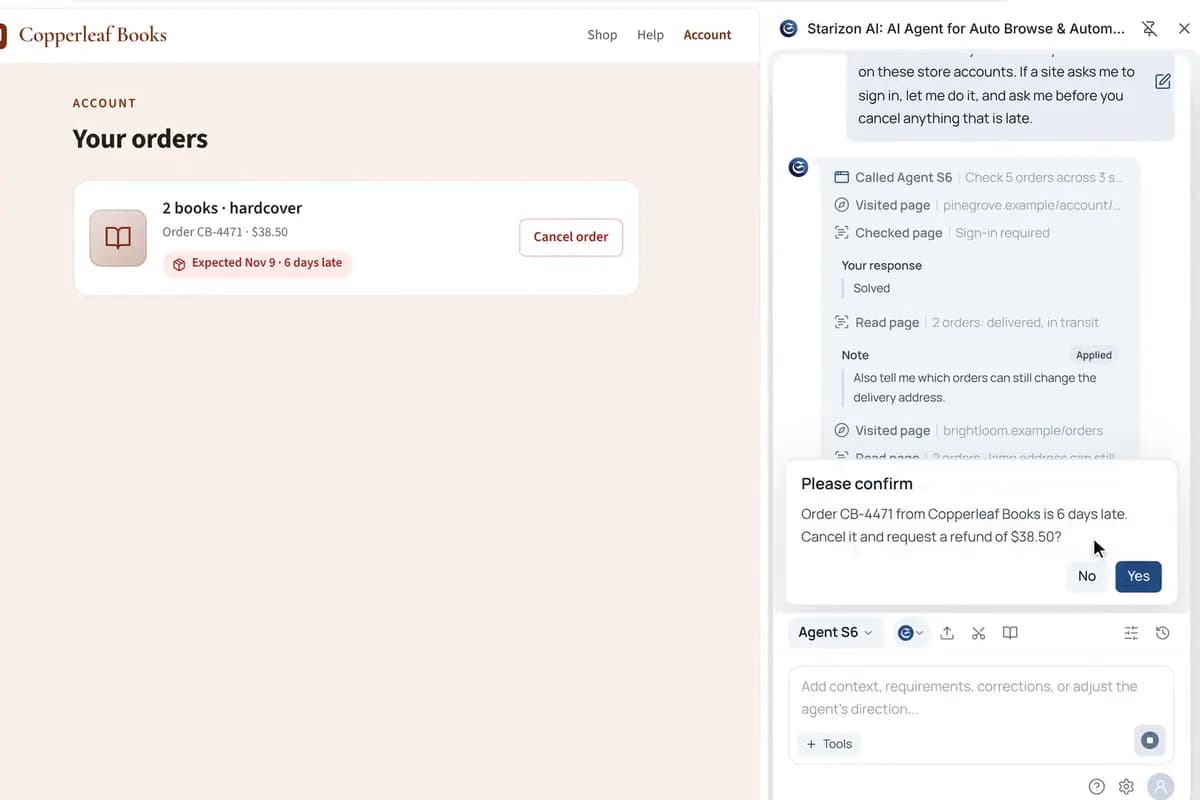
Check your orders, and approve anything it cancels
Agent S6 checks your last five orders across three stores, in your own browser. You can add instructions while it works, and it asks before it cancels anything.
Write your tab rules once as a /group command: by site, ChatGPT tabs by when you last used them, single tabs in Other groups. After that, one /group tidies the whole window.
The websites, people and data in this film are made up.
A Command is a saved prompt with a name. The /group template spells out your rules, and {{input}} at the end takes whatever you add when you run it.
You run /group with “Collapse the Other groups”. Starizon sorts 18 tabs into 8 groups, most recent at the bottom, and collapses the two Other groups. Undo puts the old order back.
The requests in the film, word for word. Its websites and data are made up, so ask the same way about your own sites and details.
Organize my open tabs into groups by site. - Split my ChatGPT tabs into groups by when I last used them: past day, past week, older. - Put sites with only one tab into an Other group, split by time the same way. - Order the groups, and the tabs in each group, by last use, with the most recent at the bottom. User input: {{input}}
/group Collapse the Other groups.
Your tabs grouped by your own rules, from one short command.
Agent S6 checks your last five orders across three stores, in your own browser. You can add instructions while it works, and it asks before it cancels anything.
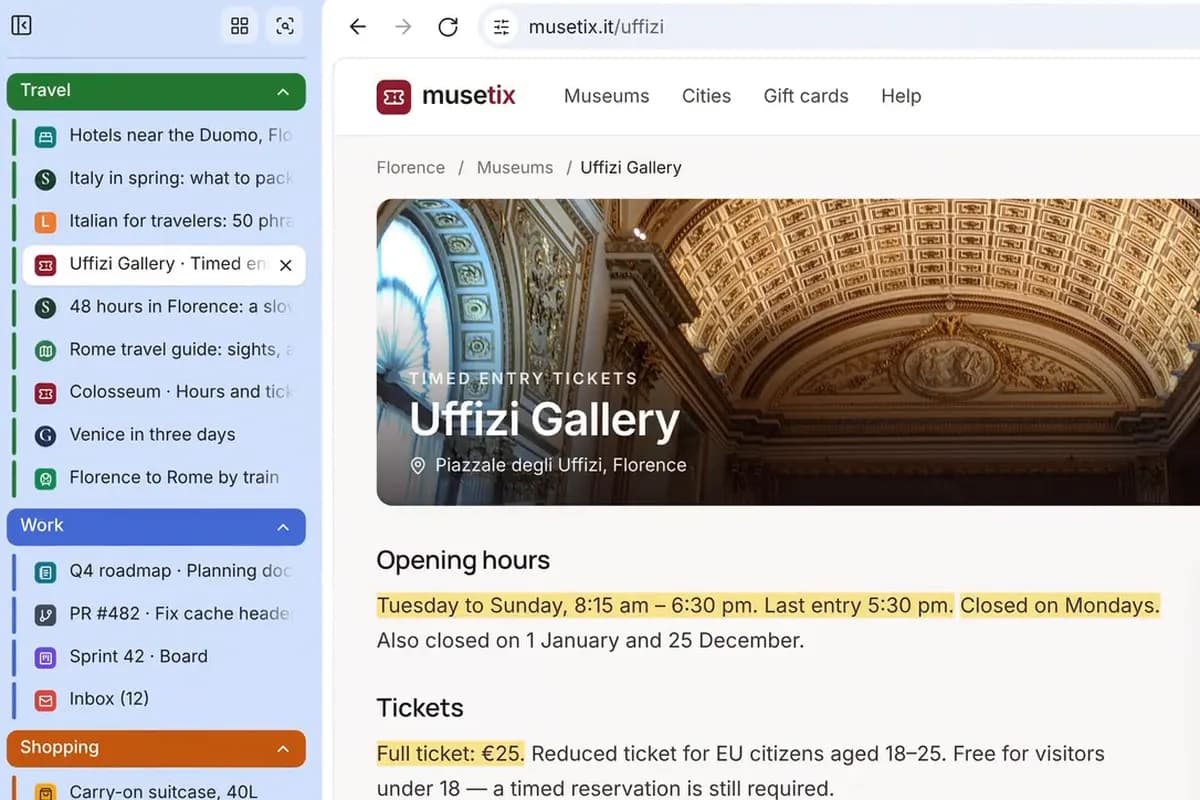
Starizon sorts your tabs and opens the trip pages you bookmarked, with the hours and prices marked on each. Then it turns nine pages into one note and fills in a booking from it, stopping before you pay.
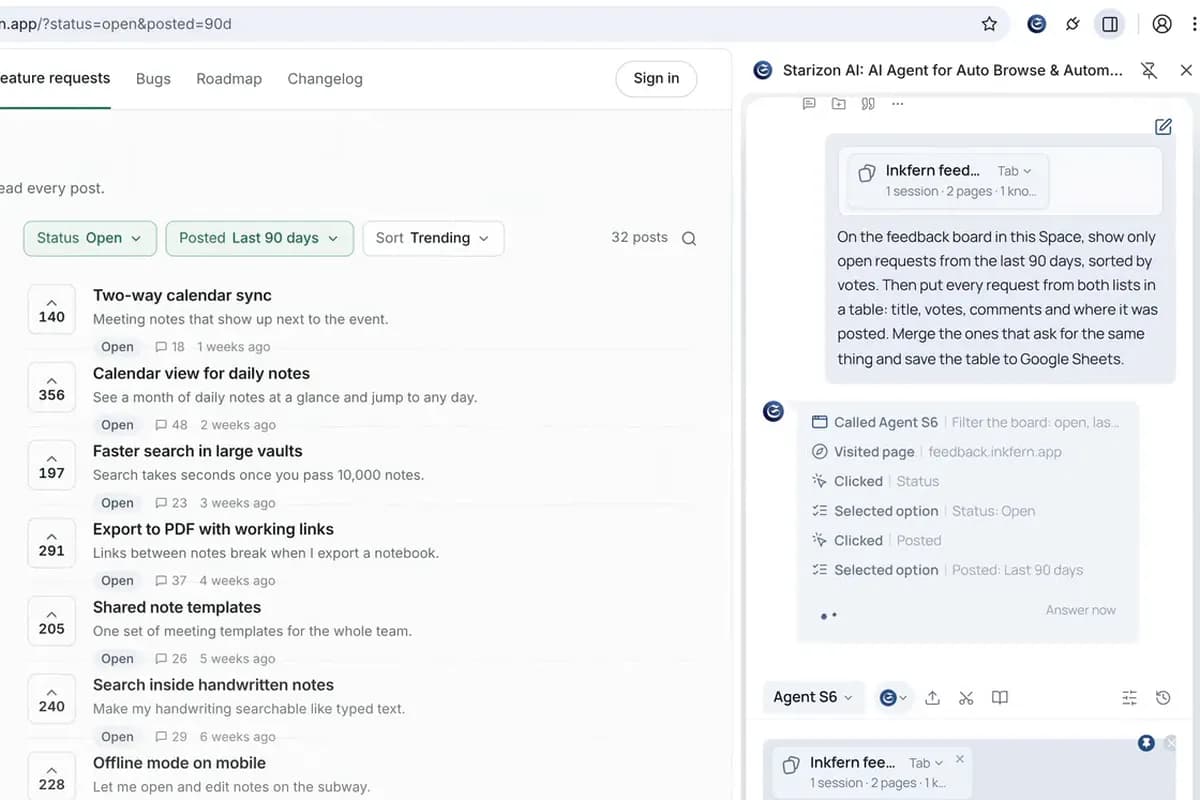
Starizon pulls the feature requests from your feedback board and forum into one table and merges the duplicates. It checks them against your roadmap, then files the top requests you haven’t planned in Linear and posts the list to Slack.
Ask in your own words, with your own sites and details. Starizon works in the browser you already use.
Free to start. No credit card needed.